Accounting Codes
Basics
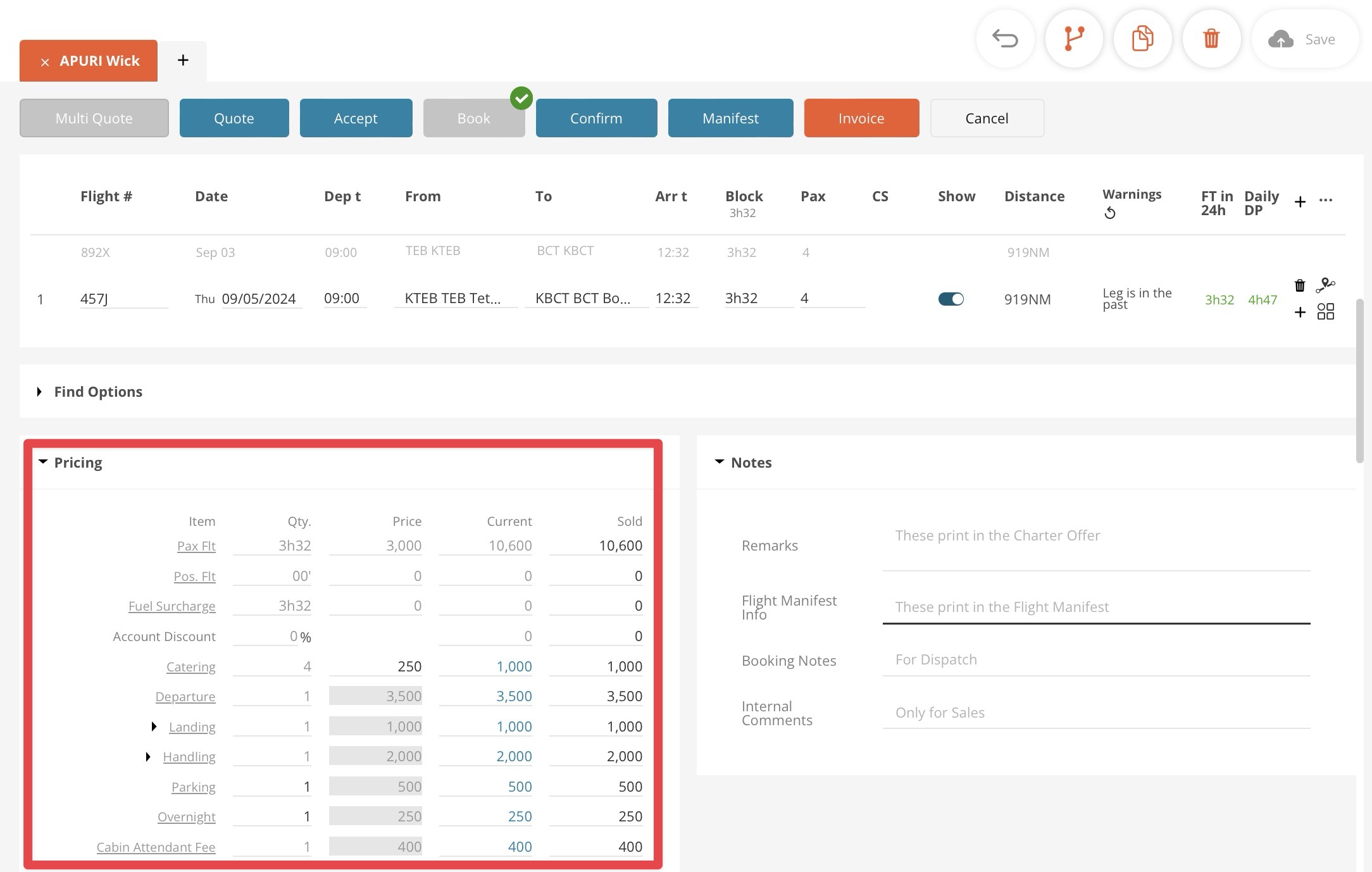
Among other capabilities, FL3XX is a powerful sales tool. Users can calculate comprehensive quotes in seconds. You can see an example of a simple quote below. An excerpt of a pricing matrix is highlighted.
There are three types of pricing/cost items in FL3XX:
- General
- FL3XX offers a portfolio of the default variables available to all operators.
- Custom Price Items
- Every operator can create its own customized entries (e.g., wifi surcharge, red carpet fee, etc.)
- Pricing Engine
- Operators wishing to go beyond ordinary quoting usually opt for the FL3XX Pricing Engine. It is a powerful tool for comprehensive, customized, and automated pricing calculations.
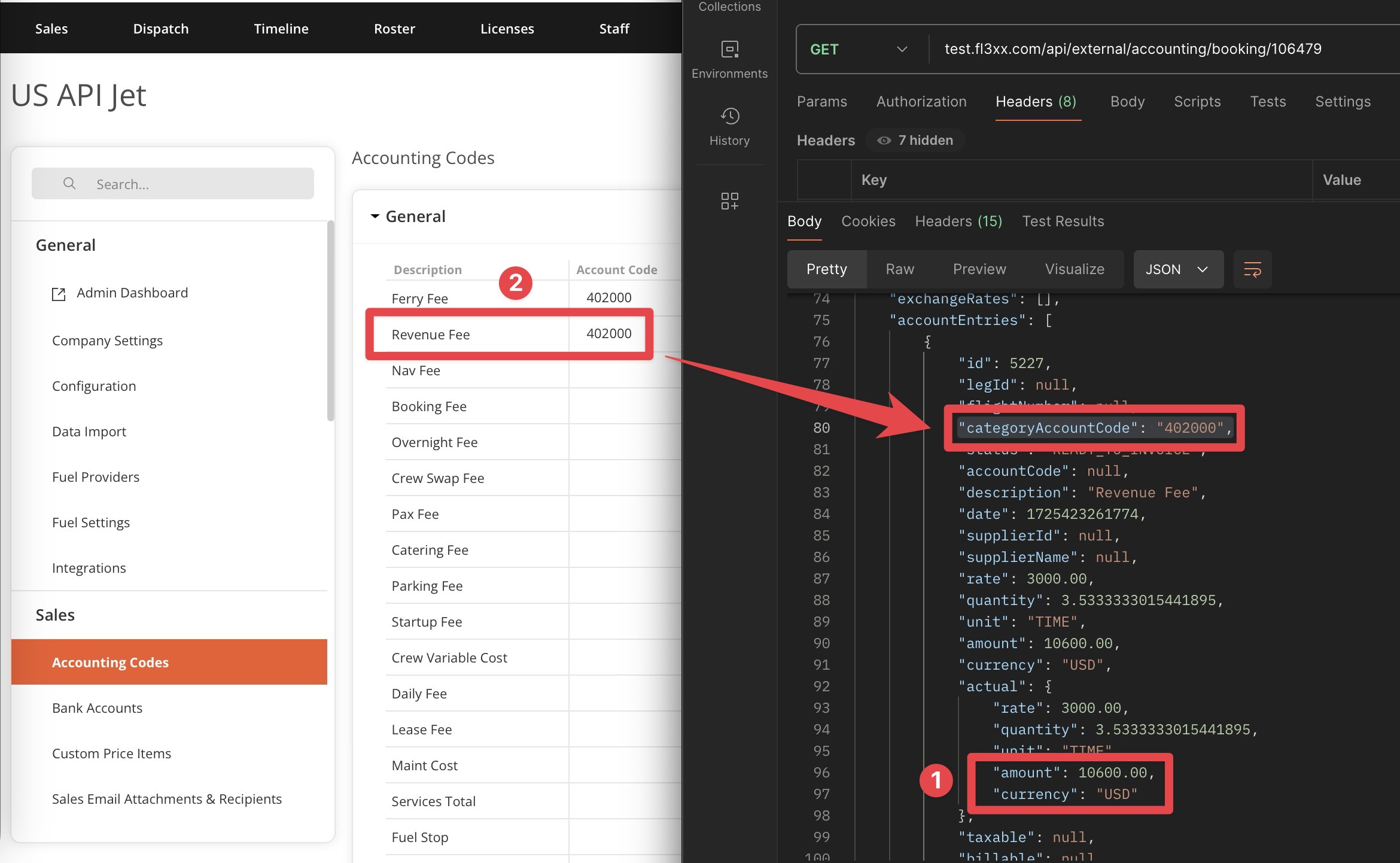
For financial and accounting purposes, each item in the matrix can be assigned an Account Code, which is part of the API payload as shown below.
- Amount USD 10,600.00 on the below image is the very first "Pax Flt" in the matrix on the image above, where you can see the same amount in the Sold column on the right.
- "categoryAccountCode": "402000" as seen in Postman refers to the Account Code set in the settings.
General
Admin system access is required to enter the FL3XX integration settings.
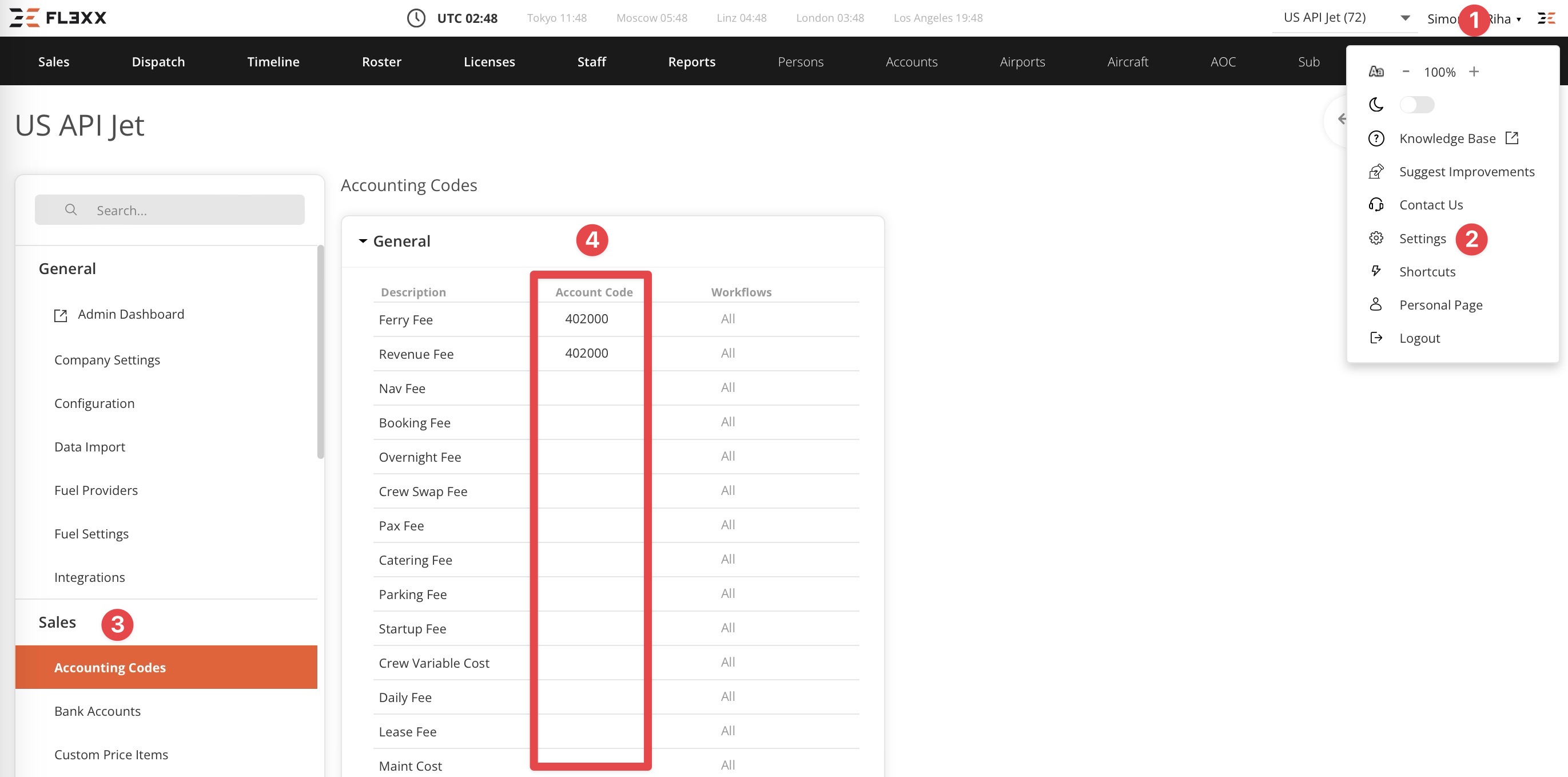
You can access the list of all default pricing/cost items available in FL3XX.
- Click your name in the top right corner of the screen.
- Select Settings.
- Go to Accounting Codes.
- You can set or review Account Codes for desired items.
Custom Price Items
Admin system access is required to enter the FL3XX integration settings.
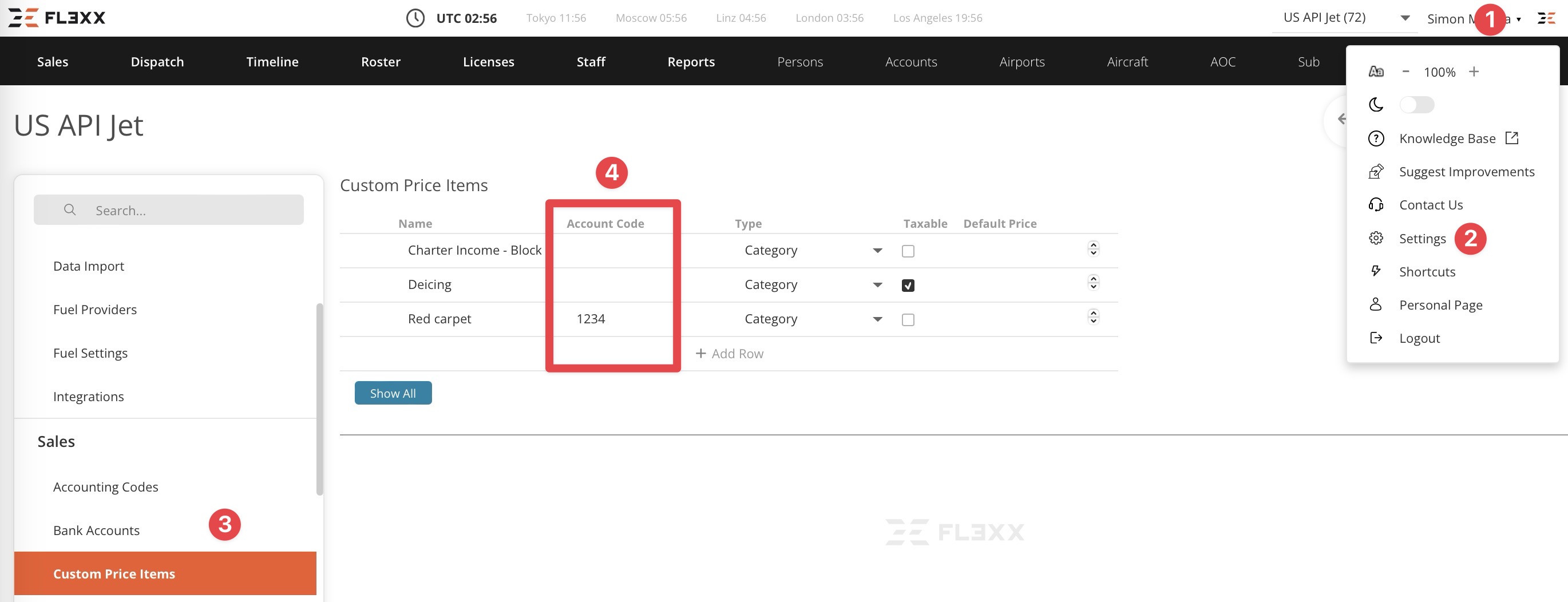
You can access the list of the customer pricing/cost items available in FL3XX.
- Click your name in the top right corner of the screen.
- Select Settings.
- Go to Custom Price Items.
- You can set or review Account Codes for desired items.
Pricing Engine
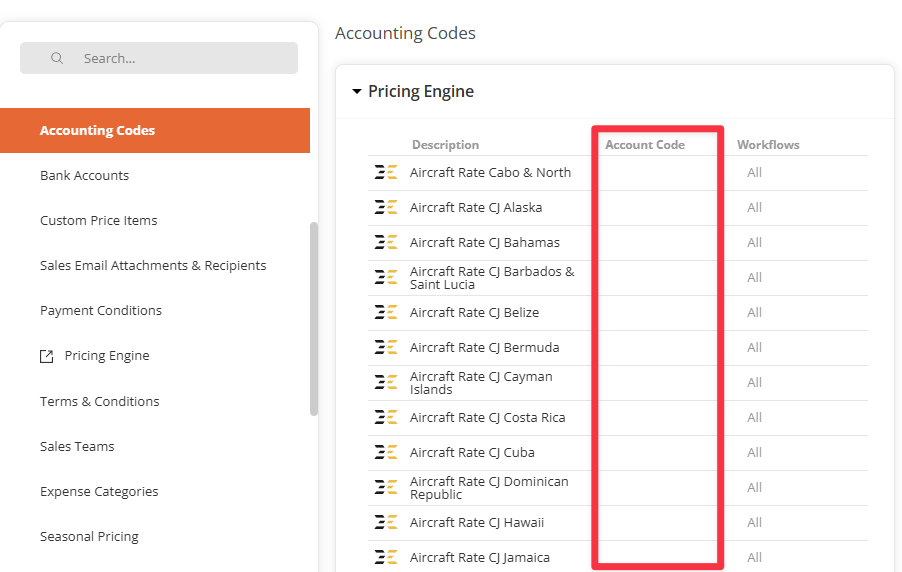
If you subscribe to our versatile and strong pricing engine, you can also set an accounting code for each of your custom pricing items.
You can find this section in System Settings / Accounting Codes.
Note: Not all operators use the FL3XX Pricing Engine.
Removing Pricing Items in Settings
Removing pricing lines in the Accounting Codes Settings is not supported.